For restaurants, bars, cafés, bakeries, taprooms and caterers

Some messages can't wait for the inbox.

A table just opened for 8:00. The sourdough comes out at 3. Holiday orders close Thursday. RestaurantBlasts gets those messages to the customers who asked to hear from you while they're still worth something. Start with the email list you already have.

No application and no subscription. Prepaid credits that never expire. See pricing →

Your restaurant
A table for four just opened at 8:00

A cancellation freed a four-top tonight. Reply YES and it's yours. We'll hold it until 7:45.

To: Last-minute tables · on Blasts
EmailYour restaurant
The same message, for customers not on Blasts yet

Customers who haven't connected with Blasts get it by email, from your restaurant.

Until they connect

The moments that expire

Tonight's special shouldn't be discovered tomorrow morning.

Food and drink runs on short windows. A seat, a batch, a release or a deadline is worth something for a few hours, and then it's gone. Email, social media and texts all have their jobs, but these messages can't sit in a queue.

  1. Restaurant4:10 PMTwo tables opened for 7:30 tonight. Reply to hold one.Gone by 7:30
  2. Bakery9:00 AMHoliday cake orders close Thursday at 6. Order form attached.Gone Friday
  3. Taproom10:15 AMThe barrel-aged stout pours Saturday at noon. Two per person.Gone Sunday
  4. Bar5:05 PMThe band starts at 9. Three tables left near the stage.Gone at 9
  5. Café11:20 AMPumpkin loaf is back. Two dozen, out of the oven at noon.Gone by 2
  6. Takeout11:30 AMToday's lunch special: brisket bowl, until 2.Gone at 2
  7. Caterer2:20 PMJune 14 just reopened. The first confirmed reply books it.Gone once booked
  8. Coffee shop6:10 AMOpening at 9 today, not 7. The road is still being cleared.Gone at 7

Twelve seats back on a sold-out night

The New Year's tasting sold out in a day, and the people who missed it asked to hear if anything opened. At four in the afternoon, three tables cancel. Twelve seats and a few hours. One message reaches the people who wanted them, instead of an afternoon of phone calls.

The release that was gone by lunch

The limited release was supposed to last the weekend. It was gone by one on Saturday, and the regulars who came in on Sunday found an empty tap. Next time, the release list hears on Thursday, gets the pour time on Saturday morning, and knows when the last keg goes on.

The wine dinner that moved a week

The winemaker's flight is cancelled and the dinner moves to the following Thursday. Forty people bought seats. One message tells all forty, gives the new date and asks them to reply YES to keep their places. By evening, you know who's coming.

The test for every message: would your customer be glad it reached them? Open seats, fresh batches, releases, deadlines and real changes pass. A coupon every week doesn't.

How it works

They sign up once. You have a direct line when it matters.

  1. Customers sign up where they already are

    At the counter, on the receipt, in your newsletter or on your website. An email address is all it takes to start hearing from you.

  2. They choose what they hear about

    Live music, preorders, last-minute tables, new releases. Customers pick the topics they care about, so each message goes to people who want it.

  3. You send once, and the Hub delivers it

    Customers with the Blasts app see your message on their phone or computer screen, with your name on it. Everyone else gets it by email. When a customer connects with Blasts, the Hub moves them over automatically.

Customers use the free Blasts app on iPhone and Android, or the Blasts extension for Chrome or Edge on a computer.

Start with email

You don't have to leave email behind to move beyond it.

Nobody on your list has the Blasts app yet. That's fine. RestaurantBlasts starts on email and moves customers to Blasts one at a time, as they connect. Nobody falls out of the conversation along the way.

  1. Bring your list

    Import the opted-in customers you already have: loyalty members, newsletter subscribers, catering clients. A spreadsheet with an email column is enough.

  2. Keep talking to them

    From day one, your messages go out by email under your restaurant's name. Customers keep hearing from you the way they always have.

  3. Invite them to connect

    Put your code and QR where customers already look, and at the bottom of every email you send.

  4. The Hub moves them over

    When a customer connects with Blasts, the Hub knows, and their next message lands on their screen instead of in their inbox. No list to clean up and nobody to move by hand.

How a customer moves over

  1. Customer signs up with email
  2. Your messages arrive by email
  3. Customer connects with Blasts
  4. Messages move to their screen

Day one, everyone hears from you by email. Over time, your regulars move to Blasts and everyone else stays on email. Same list, same messages.

Where your code and QR go

  • Host stand
  • Counter
  • Table tents
  • Menus
  • Receipts
  • Takeout bags
  • Pastry boxes
  • Event flyers
  • Your website
  • Social profiles
  • Email footer

Nothing to switch off. No migration weekend. How the first 30 days work →

Show them

Send the plate, the flyer and the order form.

Customers decide with their eyes. Put the photo of tonight's special, the band's flyer or the holiday menu right in the message, with a link to book or order.

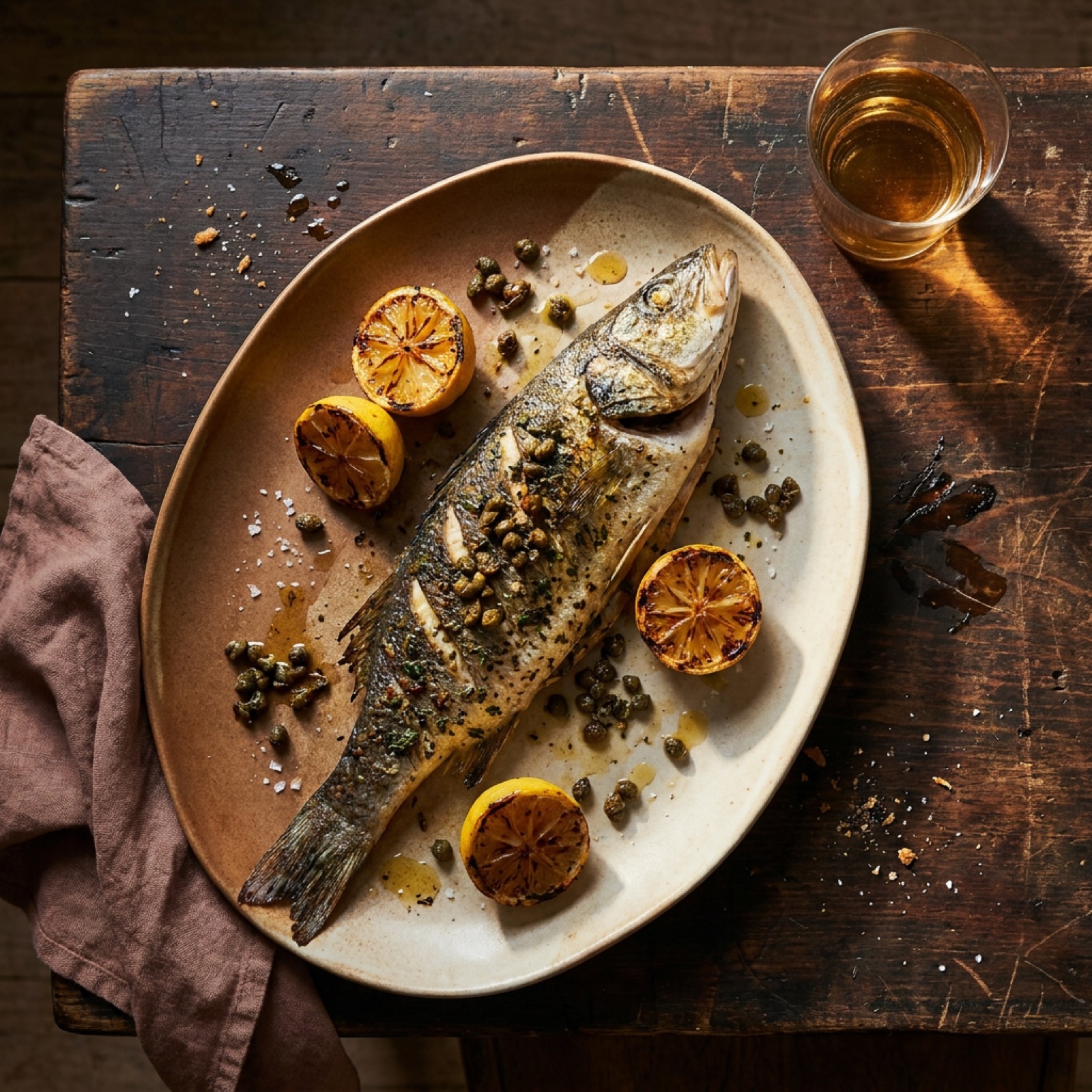
Tonight's special
A whole grilled branzino with charred lemon on a platter

Whole grilled branzino with brown butter and capers. Tonight only, tables from 5.

To: Regulars
Wine dinner
October 18: six courses, six pours

40 seats. Reply YES to hold yours.

pairing-menu.pdfTo: Wine dinners · Example replies: YES 23, NO 4
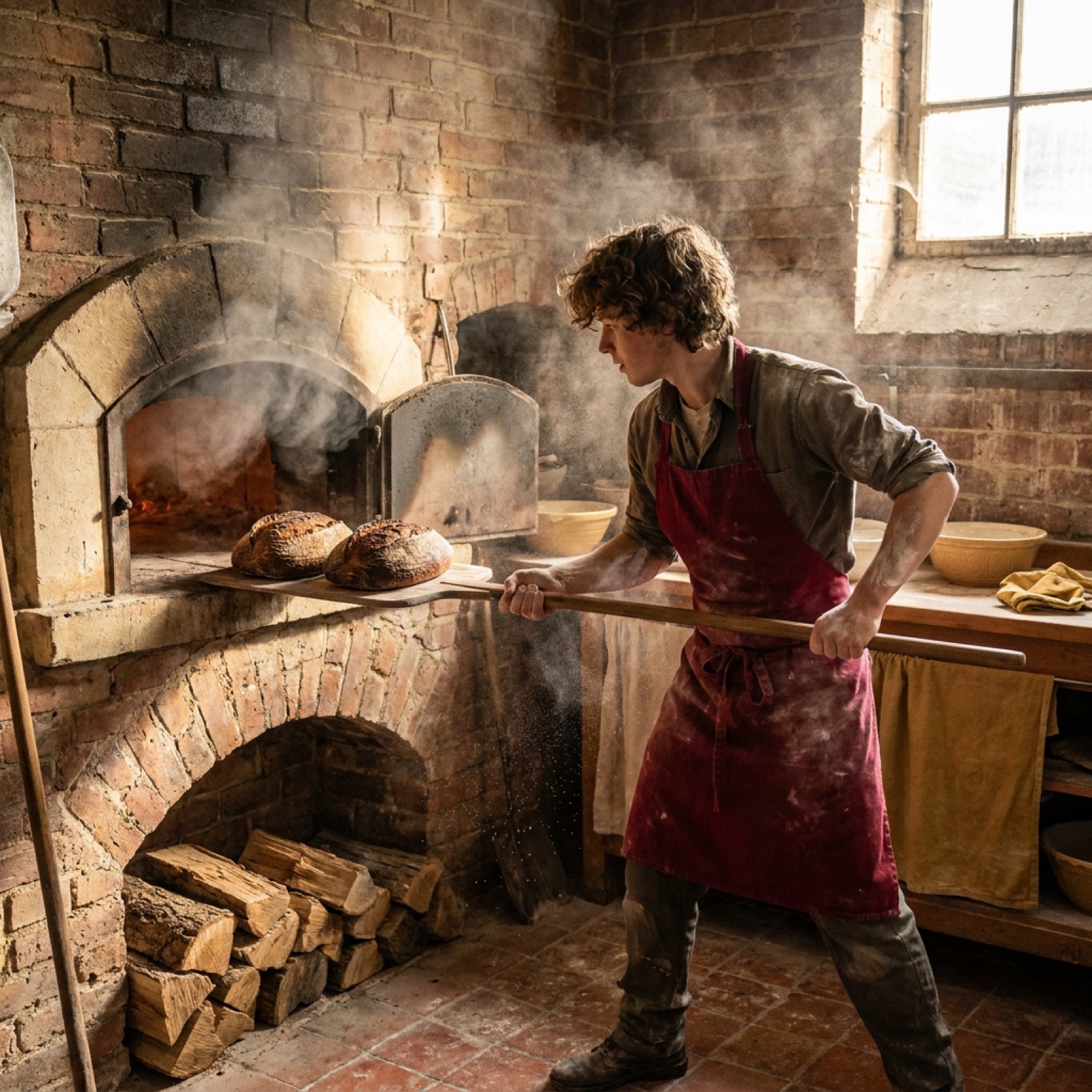
Holiday bread and pies
A baker pulling hearth loaves from a brick oven

Orders close December 18 at 6 PM. Pickup December 23 and 24.

holiday-order-form.pdfTo: Preorders

More than a text box

Formatted text and photos, laid out the way you'd lay out a menu board.

Attach what you already have

Menus, flyers and order forms, right in the message.

Send them where to go

Link to your own ordering, booking or ticket page.

Get a headcount

Ask for a YES or NO, and the Hub counts the answers for you.

Know it arrived

See how many customers received and read each Blast.

The right customers

Every customer doesn't need every message.

Tell the live-music crowd about tonight's band without telling everyone else. Build your audiences once, let customers join the ones they care about, and send each message only to the people it's for.

Restaurant

  • Regulars
  • Last-minute tables
  • Wine dinners
  • Private dining

Bar or taproom

  • Live music
  • Release list
  • Trivia night
  • Mug club

Café or bakery

  • Preorders
  • Fresh from the oven
  • Holiday orders

Takeout or catering

  • Lunch specials
  • Catering clients
  • Office orders
  • Open audiences show up as choices when customers sign up. Closed ones, like VIP or staff, are yours to assign.
  • Running more than one location? Give each one its own audiences.
  • No limit on how many customers an audience holds.

Fewer messages people didn't ask for means the ones you send still get attention.

See it in a restaurant

Emberfield Kitchen shows what your customers would see.

Walk through a neighborhood restaurant's own website: the menu, the events, the specials board, and the messages its regulars get when a table opens up or the harvest dinner goes on sale. Emberfield is an example restaurant we built to show RestaurantBlasts at work. It isn't a real business, and nothing there can be booked.

Walk through Emberfield Kitchen →

Emberfield Kitchen
Corner table for 4 just opened at 7:15

A cancellation freed the window corner tonight. Reply YES and it's yours. We'll hold it until 6:50.

To: Last-minute tables

Email, social media, text and Blasts

A cancellation at 7:15 isn't a newsletter.

Every channel is designed around something different. Keep your newsletter and keep posting. Blasts is designed around the connection between your business and the customers who chose it, and RestaurantBlasts keeps emailing everyone who hasn't connected yet.

EmailSocial mediaText messagesBlasts
Designed aroundThe inbox, read when people check itThe feed, where a platform ranks public postsThe phone number, for short personal notesThe connection with a business customers chose, on their screen
Best forNewsletters, longer stories, receiptsBeing discovered and telling your storyQuick one-to-one messagesTimely news for customers who asked to hear from you
What a message can carryPhotos, formatting and attachmentsPhotos and video, in publicMostly short textPhotos, formatting, links and attachments
Who sees itYour subscribers, when they open their inboxFollowers and others the feed shows it toPeople who shared their numberCustomers who connected, by the topics they chose
Answers backReplies to your inboxComments and direct messagesReplies to a numberReplies and YES or NO counts in one inbox
Customer controlsUnsubscribeFollow, unfollow and muteReply to stopPick topics, set quiet hours, mute or disconnect

General characteristics of each channel, and Blasts product information as of September 2026. RestaurantBlasts doesn't send text messages.

Permission and control

Permission for them. Control for your team.

For your customers

  • They chose youOnly customers who signed up or connected with your business hear from you. RestaurantBlasts isn't for purchased lists or strangers.
  • They set the volumeIn the Blasts app, customers can mute you for a day, set quiet hours or disconnect whenever they like. Replying STOP ends your messages by email or Blasts.
  • They know who's talkingEvery Blast shows your business name and photo.

For your team

  • No one messages everyone by accidentA send to your whole list asks for a fresh confirmation first.
  • Managers reach their own listsA location manager can send to that location's audiences and no one else's.
  • Check before it goesTurn on approval, and a manager's message waits for yours.
  • Know who sent whatEvery send, approval and role change is recorded.

Blasts are delivered over an encrypted Blasts connection, with no tracking pixels: delivered and read counts come from what customers actually do. Blasts clear themselves from customers' apps after 30 days.

A relationship you keep

Change systems without rebuilding your audience.

Change your POS, switch reservation systems or move to a new email provider, and your RestaurantBlasts audience stays where it is. The relationship is with your business, and every customer record starts with a real email address. If you ever leave the Hub, your customer records go with you.

Keep the customers you earned.

What it costs

Pay for messages, not another monthly subscription.

RestaurantBlasts runs on prepaid credits that never expire. Buy what you need and top up when you grow.

One credit per Blast

Sending one Blast to one customer uses one Blasts credit.

Email is metered separately

Each email uses one email credit, and every new Hub includes 50.

Only pay for what goes out

Failed and cancelled sends cost nothing.

Start small

Credit packages start at $10, with no SMS fees.

Example, not a quote

Say 1,200 of your customers are on Blasts and you send them four messages a month. That's 4,800 credits, or about $9.60 a month at the $50 package of 25,000 credits. Compare that with what one table of four, one sold-out release or one catering order is worth to you.

See restaurant pricing →

Setup

Works beside the systems you already run.

RestaurantBlasts doesn't replace your POS, reservation book or online ordering, and it doesn't need to plug into them. It sits next to them.

Import a spreadsheet

Loyalty members, newsletter subscribers or catering clients, from any system that exports a list.

Connect your signup forms

Point your website form, or any tool that can send a webhook, at the Hub, and new customers are added the day they sign up.

Zapier, on request

A private Zapier app for no-code connections.

Tell your other tools

The Hub can notify your systems when a customer connects, replies or opts out.

Your whole team

Owners, managers and event leads each sign in as themselves.

Read the Hub documentation for restaurants →

FAQ

Straight answers

What is RestaurantBlasts?

RestaurantBlasts is the Blasts Hub for food and drink businesses: restaurants, bars and taprooms, cafés, bakeries, takeout and caterers. It sends time-sensitive messages, such as an open table tonight, a fresh batch, a new release or a preorder deadline, to customers who asked to hear from you. Customers with the Blasts app see the message on their phone or computer screen. Everyone else gets it by email, and the Hub moves customers to Blasts automatically as they connect.

Do our customers need to download anything?
No. Customers can sign up with just an email address and get your messages by email. Customers who install the free Blasts app and connect with your restaurant get them on their screen instead.
What happens when a customer connects with Blasts?
The Hub notices and sends their next message on Blasts instead of email. Each customer gets your message one way, so nobody gets it twice.
Which app do customers install?
On iPhone and Android, the Blasts app is listed as "Blasts Deals" in the App Store and on Google Play. On a computer, customers add the "Blasts & Deals" extension for Chrome or Edge. Then they enter your code or scan your QR to connect.
Can we message everyone who has ever ordered from us?
Only customers who opted in: people who signed up with their email or connected on Blasts. You can bring an opted-in list with you, but RestaurantBlasts isn't for purchased lists or people who never asked to hear from you.
Will customers feel spammed?
They chose to hear from you and they pick their topics. In the Blasts app they can mute you for a day, set quiet hours or disconnect, and replying STOP ends your messages on either channel. The best rule is a good host's: if they wouldn't be glad you interrupted them, don't send it.
What's worth sending?
Anything with a clock on it: open seats, a fresh batch, a release, an order deadline, an event with places left, a change to your hours. Offers are fine too, in proportion. A customer who hears from you twice a month about things that mattered will still look at the third message.
How much work is it to run?
A send takes about as long as writing the message: pick the audience, then send now or schedule it. Weekly messages like the Friday music note can repeat on their own, and managers can send to their own location's lists.
Does it connect to our POS, reservation or ordering system?
Not with a built-in connector, and nothing here depends on one. There's no native integration with Toast, Square, OpenTable, Resy or any other POS, reservation or ordering platform. You can import a spreadsheet, connect a signup form or use Zapier on request, and the Hub documentation for restaurants covers the details.
What does it cost?
One Blasts credit per customer per Blast, and one email credit per email. Credits are prepaid, never expire and come with no subscription. Packages start at $10 at BlastCredits.com. Hub Pro, which adds Journeys and Event Campaigns, unlocks once you've bought $500 of credits in total.
How do we know it worked?
For each Blast, the Hub shows how many customers received it and how many read it, based on what customers actually do rather than tracking pixels. YES and NO replies are counted separately, because reading a message isn't the same as confirming it.
How do we get started?
Choose Set up your restaurant's Hub and sign in with your email. Setup walks you through your business name, website and time zone, and your Hub goes live with your first credit purchase from BlastCredits. There's nothing to apply for.
Does it work for several locations?
Yes. Give each location its own audiences, keep a group-wide list for things like a wine club, and let each manager send only to their own location's lists.
Free guide

The Restaurant Rollout Guide

A practical plan for your first 30 days: bringing your email list with you, where the code goes at the counter and on the receipt, how to set up audiences, who on your team sends what, and ready-to-adapt messages for open seats, releases, preorders and changes. It's free to read right now.

Read the guide now →

How we handle your details

Your next message that can't wait is already on the calendar.

Friday's band. Saturday's release. The holiday order deadline. Start with the customers you already have, and reach them before the moment passes.